
Opening a MEXC account takes about ten minutes end to end: fill in the sign-up form, confirm your email, and verify your identity. This guide walks through every screen in order — the same flow shown in the video above — using real screenshots, so you know exactly what to expect before you start.
One thing matters more than everything else: the referral code has to be entered when the account is created. Add code mexc-Cryptperks (pre-filled automatically if you use the button below) and every trade you ever make on the account gets a 20% fee discount — it cannot be attached afterward.

Step 1: Open the MEXC sign-up page
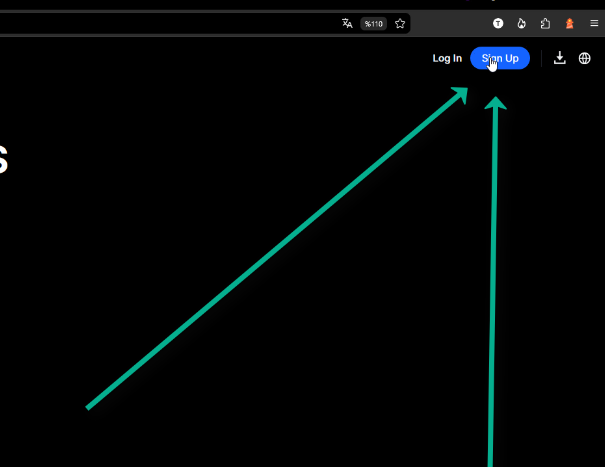
The fastest route is our referral link — it opens the registration form with the code already filled in. You can also reach MEXC through a normal browser search or install the mobile app from Google Play or the App Store; the sign-up flow is identical, you'll just need to type the referral code yourself in Step 3.
On the homepage, click the blue Sign Up button in the top-right corner.
Step 2: Sign up with your email address
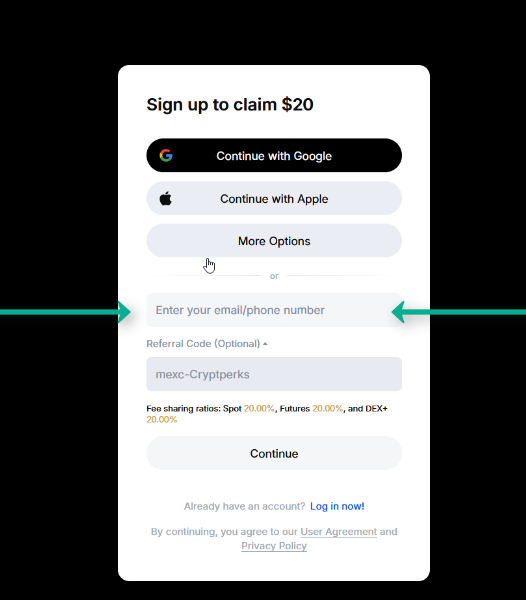
The form offers Google, Apple, and phone-number sign-up too, but plain email is the method we recommend. Whichever option you pick, MEXC will end up asking you to verify an email address anyway — starting with email keeps your login and account recovery in one place from day one.
Type your email address into the field shown above, and double-check it: this is where your verification code arrives in a moment.
Step 3: Enter the referral code mexc-Cryptperks
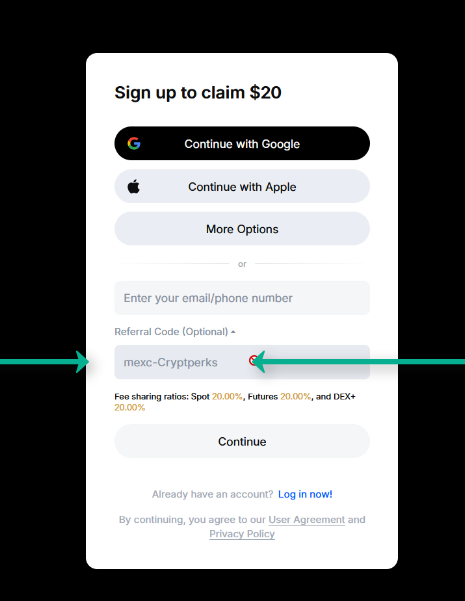
If you opened MEXC through our link, the code mexc-Cryptperks is already sitting in the referral field — leave it as it is. If the field is empty, click "Referral Code (Optional)" to expand it and type the code manually.
Don't skip this. A referral code only works at the moment the account is created — MEXC has no way to add one to an existing account later, and the fee discount below depends on it.
What the code unlocks: 20% off fees plus the welcome bonus
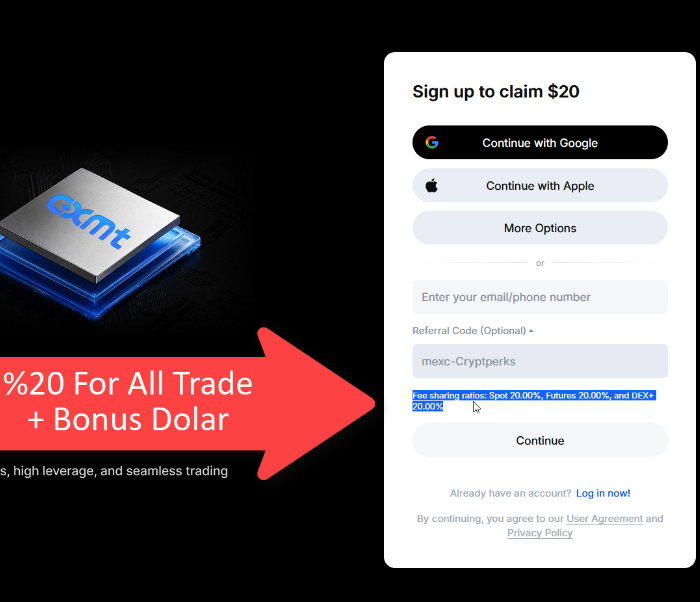
Look under the code field and the deal is spelled out on MEXC's own form: fee sharing of 20% on Spot, 20% on Futures, and 20% on DEX+. In practice, a fifth of your trading fees come back to you on every trade. Spot trading on MEXC is already at 0% maker and taker fees, so the discount does its real work on futures, where the standard taker fee is 0.02%.
On top of the fee discount, the sign-up screen advertises a $20 claim for new accounts, and MEXC's full welcome package currently advertises rewards up to $1,000. Bonus amounts depend on completing tasks like depositing and trading under MEXC's current terms — treat them as maximums, not guarantees.
Step 4: Slide to complete the puzzle
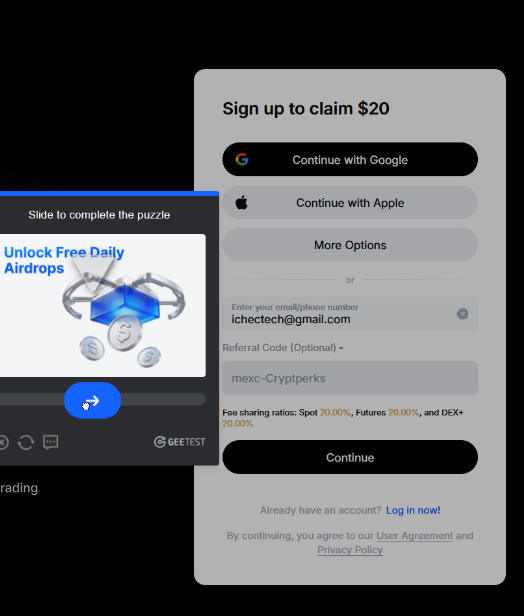
Press Continue and MEXC shows a quick anti-bot check: a small jigsaw piece and a slider. Drag the slider right until the piece drops into the matching gap in the image. If you miss, it simply resets — and the refresh icon gives you a new puzzle if the image is hard to read.
Step 5: Confirm the 6-digit email code
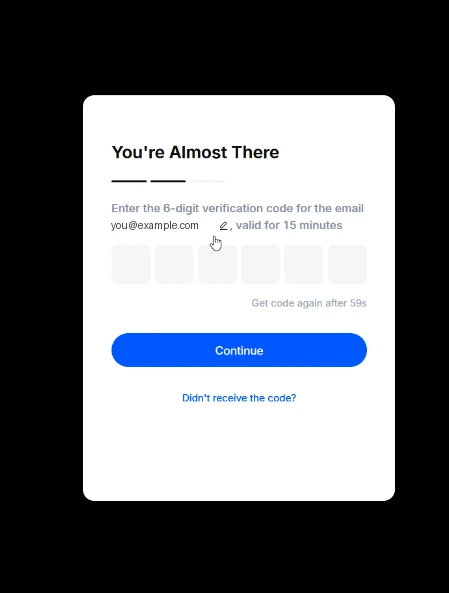
MEXC now emails you a 6-digit verification code, valid for 15 minutes. Open your inbox, copy the code, and type it into the six boxes. If nothing arrives within a minute, check the spam folder first, then use "Get code again" once the countdown allows it.
Follow any remaining prompts, such as setting a password, and your account is ready.
Step 6: Log in to your account
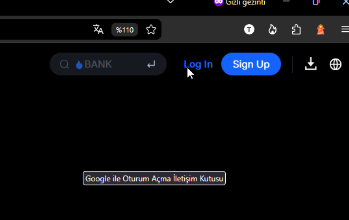
From now on you enter the exchange through the Log In button next to Sign Up in the top navigation. Log in with the email and password you just created — and expect the same puzzle check on new devices, which is normal.
Step 7: Open Identification from the profile menu
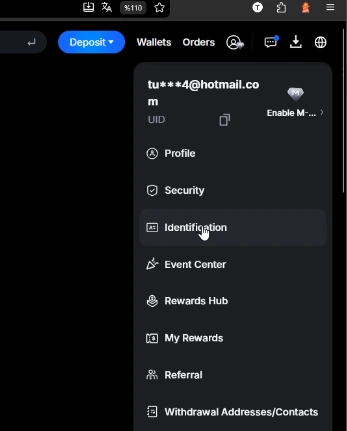
Once you're in, click the round profile icon in the top-right corner. A menu opens showing your email and UID. Click Identification — that's MEXC's name for identity verification (KYC).
Step 8: Verify with a passport, ID card, or driver's license
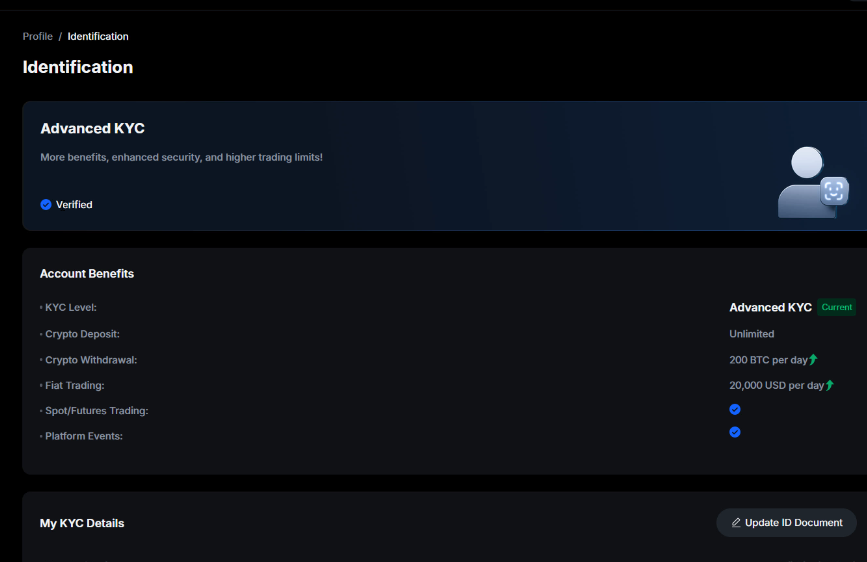
Choose your document — passport, national ID card, or driver's license — and follow the camera prompts to photograph it and take a quick selfie. Approval is usually a matter of minutes, though it can take longer at busy times.
The benefits table on the Identification page shows what Advanced KYC unlocks: unlimited crypto deposits, crypto withdrawals up to 200 BTC per day, fiat trading up to $20,000 per day, and access to spot and futures trading plus platform events like airdrops and launchpads.
You're set: deposit, trade, and claim your rewards
With verification done, the account is fully open: you can deposit crypto, buy with fiat, trade spot at 0% fees, and withdraw without friction. Your welcome rewards are collected in MEXC's Rewards Hub, reachable from the same profile menu — the tasks listed there are what convert the advertised bonus into actual credit.
If you haven't created the account yet, the button below opens the sign-up form with the code mexc-Cryptperks already applied — the 20% fee discount then covers every trade the account ever makes.